I shipped v1.21.1 of tmux-agents, a patch release. install.sh now writes relative symlink targets when both the link and its target live under the home directory, so reinstalling keeps dotfiles-tracked skill links like ~/.codex-2nd/skills/* clean, and links that are already correct are left alone. It also fixes an intermittent preview-header test.
I shipped v1.21.0 of tmux-agents, which replaces the request ledger with turn state. A running turn shows as working and an ended turn shows as idle or done, while parents show live "waiting on" text from their nearest working descendants. Replies no longer need a request ID, and a one-slot stop notice remembers the latest requester. tmux-spawn also passes agent CLI arguments after --, saves them with the sub agent and brings them back on resume.
I published Everything All At Once: AI & Intentionality, which grew out of an evening thinking entry after a day of running an agent chain in every tmux window. With AI I can push four or five projects at once, but the bottleneck is still my own brain, and handing more decisions to agents means less of what I do is something I actually meant. The post is about noticing when that happens, and choosing, on some days, to slow down and stay with one or two things long enough to remember why each decision was made.
Today was a busy one. Every tmux window had an agent chain working at the same time, and by the evening there were about 85 commits across six repos.
My skills went public. I moved them out of my dotfiles into their own repo, TheClooneyCollection/skills. You can install them as a Claude Code or Codex plugin, or with npx skills. v1.0.0 went out in the morning and v1.2.0 by the evening. Along the way I added three new skills, and every skill got a README and a one-line reason for existing.
A stutter fix became a post and a skill. ALVR on my Vision Pro kept stuttering. It came down to AWDL channel hopping, and moving the router's primary channel to 44 fixed it. That turned into a post, a skill, and a new Gaming series.
Illustrating the post became a skill too. Claude drew the diagrams, Codex generated illustrations in three different styles, and I picked from one gallery page. That's illustrate-post now.
tmux-agents shipped twice.v1.19.0 and v1.20.0, then a design doc in the afternoon about how it tracks what each agent is doing.
The rest kept moving. My dotfiles caught up with all of the above, and EDControlRoom got a few late-night ideas.
With AI, it almost feels like you can do anything. I could never have dreamed of working on three, four, even five projects at once. But ever since AI became this capable, I've found myself working like this every now and then. It feels less like coding and more like running a small studio. Tiring, but the good kind of tired.
But I keep coming back to one question: was I spending that time and energy intentionally?
I did decide a lot today: what to ship, what to cut, which image, when to push. But I also gave the agents a lot of room to decide for me. Sometimes I didn't have the energy. Sometimes I couldn't be bothered. Sometimes I just didn't mind. (I wrote more about where that line sits in The Two Extremes of AI-Assisted Engineering.)
That's a trade-off, and it's fine, as long as you, the one deciding, are okay with it.
Still, I think this is what AI is quietly taking away from us: intentionality. When you can do everything at once, it gets easier to stop asking whether you meant to. There's less of it than there used to be.
I want to notice when that happens. And when I have the energy to give, I want to be more intentional myself. Maybe slowing down once in a while isn't such a bad idea either.
I released v1.2.0 of my skills. It ships two new skills: illustrate-post, which turns a post's images into a plan, hand-drawn SVG diagrams, image-model variants in a few styles and one gallery to pick from, and avp-mvd-alvr-stutter-resolver, which fixes Vision Pro stutter when Mac Virtual Display and ALVR run together. Every skill folder now also has a short README for people: what the skill does, why it exists, when to use it and what it needs.
Plan first. The agent reads the post and proposes the images with me: what each one shows, where it goes, and whether it is an exact diagram or a mood or hero image. Nothing is generated before I approve the list.
Two kinds of producer. Claude hand-draws the diagrams as SVG, where labels and numbers have to be right, each with a dark twin. An image model renders every concept in 3 or 4 clearly different style families, so each family is a consistent set.
One gallery. Every variant lands in one local HTML page, side by side. I pick per image and mix styles freely; when I like a composition but want a change, the agent edits that image instead of starting over.
Only the picks land. The chosen images go into the post, narrower than the text and centred, with SVG diagrams swapping to their dark twins with the site theme.
The Vision Pro post ended up with three of Claude's diagrams, two Midnight Blueprint illustrations and one Paper Circuit floor plan, picked out of a gallery of more than twenty images.
description: Illustrate a blog post or doc with image variants from several models, shown side by side in one HTML gallery for the user to pick from. Use when the user asks for images, illustrations, diagrams or a hero image for a post or doc, or wants image options to choose from.
---
Several producers each make a **variant** of every **concept** (one image slot in the post); the user picks per concept from one gallery, mixing producers and styles freely. Nothing enters the repo until they pick.
1.**Plan.** Read the post and propose the concepts: what each image shows, where it goes, and whether it is a diagram (exact labels, numbers, real data) or a mood or hero image, and whether it carries text. Name who makes what. Done: the user approved the list; nothing is generated before that.
2.**Produce, in parallel,** into a gitignored folder: `.temp/<topic>-images/<variant>/NN-<concept>.<ext>`. Check `.gitignore` covers it.
-**Diagrams: hand-drawn SVG by Claude.** Self-contained, with its own background card, plus `<title>` and `<desc>`. Make a dark twin, `NN-<concept>-dark.svg`: remap the palette, keep the meaning of each colour readable. Render both to PNG (`rsvg-convert`), look at them, fix overlaps and clipped text, repeat. CSS `text { fill }` beats a `fill=` attribute, so colour single elements with `style="fill:..."`.
-**Every concept: an image model** (Codex's image tool, or another agent's; without one, hand this to an agent that has it). Ask for 3 or 4 clearly different style families, each applied to every concept so a family is a coherent set; leave the rest of the art direction open. Save each family's prompts in `<variant>/prompts.json`.
- Generated images: no logos or trademarks, generic devices, no personal details. Text follows the plan, concept by concept. Models garble it, so ask for short, explicit wording, verify every word and number, and regenerate anything garbled.
Done: every producer delivered its files.
3.**Gallery.** Copy [gallery.html](gallery.html) into the folder and fill its `concepts` and `variants` lists. Serve it with `python3 -m http.server <spare port> --bind 127.0.0.1`. To browse from another device, offer the user's private network (e.g. `tailscale serve`) and ask first. Done: the URL loads and every image shows.
4.**Review and pick.** Each producer lists its own weak spots. Send the user the gallery link with those notes. When they like an image's composition but want a change, edit that image (an image edit with it as the reference) rather than generating a new one. Done: the user picked one image per concept.
5.**Land the picks.** Copy only the chosen images into the repo (check whether it keeps images in Git LFS) and wire them into the post:
- Show images narrower than the text column and centred, around 560px, a hero around 640px. A hero can close the post too.
- An SVG with a dark twin goes in as two `<img>`, one per theme, swapped by one shared CSS rule keyed on the site's theme selector or `prefers-color-scheme`.
- Image pipelines may rasterise SVGs (JPEG with black corners); route SVGs around the transform.
Build, then look at the post in both themes and commit. Ask before pushing. Done: the build passes, both themes look right, and only the picks are committed.
I published Vision Pro MVD / ALVR Best Practices - No More Stuttering!, about running Mac Virtual Display and ALVR on an Apple Vision Pro at the same time while playing Elite Dangerous in VR. ALVR stuttered even on a clean channel, because AWDL kept pulling the Mac's radio onto its own social channel; putting the router's primary channel on AWDL's channel (44 in the UK) stopped the hopping, and the ALVR retest confirmed the stutter is gone. The post walks through the network layout and router settings I recommend, and links the avp-mvd-alvr-stutter-resolver skill for anyone who wants an agent to check their setup.
I added avp-mvd-alvr-stutter-resolver to my skills in 197e34a, turning what I wrote up in Vision Pro MVD / ALVR Best Practices - No More Stuttering! into something an agent can run. It audits and fixes Apple Vision Pro stutter for Mac Virtual Display and ALVR: AWDL channel hopping, the router's channel and width, the wired path, subnets and GPU encoder contention. The fix is verified twice: the AWDL schedule now stays on a single channel, and ALVR no longer stutters.
My own agent skills moved out of my dotfiles into skills, and v1.0.0 is the first release. You can now install them without my setup: as a Claude Code plugin, a Codex plugin, or with npx skills add TheClooneyCollection/skills. The release also adds a release skill, which cut this release, and a CI check that keeps the skills, the plugin manifests and the README in step.
I shipped v1.20.0 of tmux-agents, which moves my project launchers into tmux-agents itself. tmux-agents main-sequence opens the configured project windows in order, with optional names and plain shells, and tmux-agents chain picks a project from the current directory, the saved projects or an optional scan root. The config is editable with list, add --at N, set and unset, with nothing personal hardcoded. tmux-agents start chain --main-resume ID resumes just the main conversation, with Claude reconnecting Remote Control through /rc, and sub agents spawned by a profiled Codex agent now inherit that profile, including on resume.
I shipped v1.19.0 of tmux-agents, which makes long messages explicit: tmux-ask and tmux-spawn take --message-file, so an agent sends a summary plus the full text, the recipient reads it with tmux-read <id>, and automatic truncation is gone. Agents now get resume hints and can resume in place with tmux-spawn --resume --here, and a requester is notified when a sub agent stops without replying, replacing "reply overdue". Claude hooks are hardened, with StopFailure handled, tool hooks clearing permission waits, and AskUserQuestion and MCP input dialogs marking "needs you". Resumed Codex agents are tracked, finished agents keep their last report, ownership survives a gone ancestor, and a new probe checks Codex compatibility.
I published The Two Extremes of AI-Assisted Engineering: Fast and Furious, vs. Slow and Careful, about the two opposite ways I work with the same coding agents: letting them run while I barely read the code, and slowing down until every decision is mine. It uses EDControlRoom as the example of a project moving along that spectrum, and argues that the real decision is where to set the quality bar for each project right now, and when to move it. This is the third version; I wrote it section by section after setting two earlier drafts aside.
I clear my agent sessions a lot now. Long sessions get slow and expensive, and after a while the agent is mostly rereading old tool output. The thing that kept me from clearing was the worry that something useful would go with it: a gotcha we hit, a decision and the reason for it, a half-finished branch.
So I wrote a small skill called wrap-up. Before I clear, I say "wrap up" and the agent goes through the session and reports back. It changes nothing until I choose.
Lessons not yet written down. Corrections I made, gotchas we found, decisions and why. It checks the repo docs, AGENTS.md, skills and memory first, and leaves out anything already there or obvious from the code.
Where each one should go, with the exact wording. An AGENTS.md rule, a repo doc, a skill, or personal memory, plus one line on why.
What it would skip, and why. I can overrule it, and it stops the notes from slowly piling up.
Unfinished work. Running agents, open worktrees, uncommitted or unpushed changes, questions I never answered.
I pick the ones I want, it writes them, and I clear. Sometimes the answer is "none of these". The agent can work them out again quickly, and a note that is never needed is just more to read next time.
What I get out of it: clearing becomes a habit instead of a gamble. Sessions stay short and cheap, and the next agent starts from what was actually learned, not from 200k tokens of scrollback.
description: Before the user clears the session, report what is worth saving and what is unfinished; after the clear, resume from the handoff. Use when the user says they will clear, reset or end the session, or says 收工 / 要清 session 了; or, after a clear, says "cleared, resume please", "cleared resume" or 清完了,继续.
---
Change nothing until the user picks.
-**Number the choices:** separate completed work worth recording, unfinished work that could continue, and live state that needs attention (background jobs, agents, worktrees, uncommitted or unpushed changes). Ask the user to choose what to save, continue or drop by number. Unselected old work stays pending, never resumes automatically.
-**Lessons not yet recorded:** user corrections, gotchas found, workflows explained only in chat, decisions and their reasons. Check repo docs, AGENTS.md, skills and memory first; drop what is already there or readable from the code. Also drop anything you got right on your own or caught yourself this session; keep only what would likely go wrong again without a note.
-**For each, propose a home and the wording:** an AGENTS.md rule, a repo doc, a skill, or memory (personal preference or setup), with one line of why.
-**List what you would skip,** with the reason, so the user can overrule.
-**After the choice:** save approved lessons to their agreed homes. Write information needed across a clear to the project-root `HANDOFF.md`: goal, roles and member names, relevant branches and worktree paths, live state, and the user's explicit choices, then a fixed "Resume steps" section: the commands the next session runs first (project-specific; none if nothing applies). Work not explicitly chosen to continue is listed only as pending selection.
-**Local handoff only:** before creating or updating `HANDOFF.md`, verify it is untracked and add `/HANDOFF.md` to the repository's local Git exclude file (`git rev-parse --git-path info/exclude`), not shared ignore rules. Never commit it. If already tracked, report the conflict before writing. Read any existing file first and preserve other chains' and the user's content.
-**Clear entries when resolved:** remove an entry only when completed, explicitly dropped, or transferred to a persistent record the user approved. Delete the file when every entry is resolved; reading it alone is not grounds for deletion. Leave unresolved entries for the next session.
-**Resume:** after a clear, read `HANDOFF.md`, run its Resume steps, then report the next actions to the user. Do not re-brief other agents or restore roles unless the user asks.
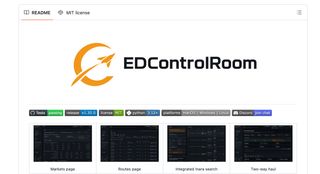
I've been spending the day refining EDControlRoom, building new features, polishing little details, improving the README, and even getting a new logo designed that I'm particularly happy with.
And I had this wonderful realization: my little side project is growing into a mature product.
It has a name, an identity, a proper interface, documentation, tests, releases, cross-platform support… It's no longer just a bunch of code I wrote to solve a problem. It's becoming something real. Something I'm genuinely proud to put out into the world.
There's a particular kind of happiness in this.
It's not just the excitement of getting something to work. It's the satisfaction of ownership and craftsmanship. Taking an idea from your head, bringing it into existence, and slowly shaping it into something thoughtful, polished, and complete.
It reminds me of woodworking, actually. That feeling of starting with a sketch, working with your hands, refining every little detail, and eventually stepping back to admire something that didn't exist before.
I love that with my own projects, I get to decide what deserves attention. What good engineering looks like. What makes a good user experience. How far I want to take an idea.
Just me, my curiosity, my ideas, and the joy of making things.
I think I've missed this feeling more than I realized.
And today, looking at that beautifully polished README, the new logo, and all the little features coming together, I just feel… happy.
Not because I've achieved something enormous. Not because it's going to make money or change the world.
But because I made something, I care about it, and I love what it's becoming.