在 CrossOver 中绕过 Meta Horizon Link 的磁盘检查
所属系列
- macOS 上的 VR 系列 (1 共 5)
我想知道,能否让 Meta Horizon Link 在 CrossOver 中推进得足够远,帮助完成一个更大的实验:直接在 macOS 上运行 Windows VR 游戏。最初想玩的目标是 Elite Dangerous,但第一个障碍无聊得多。安装器看了一眼 CrossOver bottle 的 C: 盘,就判定它不符合要求。
从欢迎界面到虚假的完成


于是,我给预检打了补丁。至少在很狭窄的意义上,补丁有效:安装程序越过磁盘界面,开始下载和安装组件。

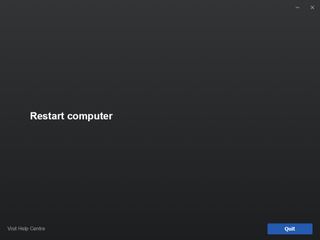
问题在于,这种表面成功没有留下一套可用安装。后面的日志解释了原因:安装器通过磁盘资格检查、下载和可再发行组件安装后,在创建 Windows 服务身份时失败。CrossOver 能运行引导安装程序,但 Meta Horizon Link 不只是一个桌面应用。
环境
测试针对 CrossOver bottle 内的安装器进行:
/Users/nicholasclooney/Library/Application Support/CrossOver/Bottles/Steam/drive_c/Setup.exe
我用以下命令运行它:
~/Applications/CrossOver\ Preview.app/Contents/SharedSupport/CrossOver/bin/wine \
  --bottle "Steam" \
  "C:\\Setup.exe" /drive=C
原始安装器保存在:
/Users/nicholasclooney/Library/Application Support/CrossOver/Bottles/Steam/drive_c/Setup.exe.orig
症状
OculusSetup.log 显示,安装器在真正开始安装前就失败了:
DeviceIoControl() failed with 0 bytes returned.
Exception when enumerating drives:
System.Exception: Exception of type 'System.Exception' was thrown.
  at Daybreak.Win32.Kernel.IsInternal(System.IO.DriveInfo driveInfo)
  at Dawn.InstallLocations.Scan(System.Int64 requiredSpace)

Found candidate install locations:  []
Couldn't find a valid install location for drive C:\!
Unable to find an install location with enough free space.
RunCheck 'Dawn.Preflight.InstallLocationCheck' failed.
Aborting installation due to failed preflight check.
macOS 卷还有数百 GiB 可用空间,所以这不是真正的磁盘空间问题,而是安装器的磁盘资格判断拒绝了 Wine/CrossOver 映射出来的磁盘。
根本原因
Setup.exe 是一个原生 PE 包装程序,内嵌 .NET 程序集。相关程序集是 _Setup,位于包装程序中的文件偏移 78152,也就是 0x13148。
预检失败路径如下:
Dawn.Preflight.InstallLocationCheck
  -> checks _session.InstallPath != null
Dawn.InstallLocations.GetInstallPath(...)
  -> calls Dawn.InstallLocations.Scan(requiredSpace)
扫描器原先这样过滤磁盘:
if (Kernel.IsInternal(driveInfo)
    && driveInfo.DriveFormat == "NTFS"
    && driveInfo.AvailableFreeSpace > requiredSpace)
{
    list.Add(driveInfo);
}
在 CrossOver/Wine 下,Kernel.IsInternal(...) 会调用 DeviceIoControl 这类底层 Windows 磁盘 API。这些调用无法自然映射到以 macOS 文件夹为后端的 Wine 磁盘,因此所有候选磁盘都被拒绝了,还没轮到可用空间检查发挥作用。
补丁
补丁删除两个判断条件:
Kernel.IsInternal(driveInfo)
driveInfo.DriveFormat == "NTFS"
只保留:
if (driveInfo.AvailableFreeSpace > requiredSpace)
{
    list.Add(driveInfo);
}
字节层面,包装程序文件偏移 0x13f54 处的原始 IL 序列为:
09 28 70 00 00 0a 2c 22 09 6f 71 00 00 0a 72 2b 09 00 70 28 56 00 00 0a 2c 10
这 26 个字节被替换为 NOP:
00 00 00 00 00 00 00 00 00 00 00 00 00 00 00 00 00 00 00 00 00 00 00 00 00 00
补丁前后大小相同,因此无须重建原生包装程序布局。
可复用的补丁工具
这是我使用的补丁脚本:
#!/usr/bin/env python3
"""
Patch the Meta Horizon Link / Oculus PC installer drive eligibility check.

This changes the embedded _Setup .NET assembly inside Setup.exe so
Dawn.InstallLocations.Scan only requires enough free space, instead of also
requiring Kernel.IsInternal(driveInfo) and DriveFormat == "NTFS".
"""

from __future__ import annotations

import argparse
import shutil
import sys
from pathlib import Path


WRAPPER_OFFSET = 0x13148
PATCH_OFFSET_IN_EMBEDDED_SETUP = 0x0E0C
PATCH_OFFSET = WRAPPER_OFFSET + PATCH_OFFSET_IN_EMBEDDED_SETUP

ORIGINAL_BYTES = bytes.fromhex(
    "09 28 70 00 00 0a "
    "2c 22 "
    "09 6f 71 00 00 0a "
    "72 2b 09 00 70 "
    "28 56 00 00 0a "
    "2c 10"
)
PATCHED_BYTES = b"\x00" * len(ORIGINAL_BYTES)


def describe_offset(offset: int) -> str:
    return f"{offset} (0x{offset:x})"


def patch_bytes(data: bytearray) -> tuple[bytearray, int, str]:
    fixed_offset = bytes(data[PATCH_OFFSET : PATCH_OFFSET + len(ORIGINAL_BYTES)])

    if fixed_offset == PATCHED_BYTES:
        return data, PATCH_OFFSET, "already patched"

    if fixed_offset == ORIGINAL_BYTES:
        data[PATCH_OFFSET : PATCH_OFFSET + len(ORIGINAL_BYTES)] = PATCHED_BYTES
        return data, PATCH_OFFSET, "patched fixed offset"

    matches = []
    start = 0
    while True:
        found = data.find(ORIGINAL_BYTES, start)
        if found == -1:
            break
        matches.append(found)
        start = found + 1

    if len(matches) == 1:
        found = matches[0]
        data[found : found + len(ORIGINAL_BYTES)] = PATCHED_BYTES
        return data, found, "patched scanned offset"

    if not matches:
        raise ValueError(
            "Could not find expected installer bytes. This Setup.exe may be a "
            "different build, already modified differently, or not the Meta "
            "Horizon Link installer this patch targets."
        )

    offsets = ", ".join(describe_offset(m) for m in matches)
    raise ValueError(
        "Found the target bytes more than once; refusing to guess. "
        f"Matches: {offsets}"
    )


def parse_args() -> argparse.Namespace:
    parser = argparse.ArgumentParser(
        description="Bypass Meta Horizon Link installer drive eligibility checks."
    )
    parser.add_argument("input", type=Path, help="Original Setup.exe path")
    parser.add_argument(
        "output",
        type=Path,
        nargs="?",
        help="Patched output path. Omit when using --in-place.",
    )
    parser.add_argument(
        "--in-place",
        action="store_true",
        help="Patch the input file directly.",
    )
    parser.add_argument(
        "--backup",
        action="store_true",
        help="When used with --in-place, create INPUT.orig first if missing.",
    )
    return parser.parse_args()


def main() -> int:
    args = parse_args()

    if args.in_place and args.output:
        print("error: do not pass an output path with --in-place", file=sys.stderr)
        return 2

    if not args.in_place and not args.output:
        print("error: output path is required unless --in-place is used", file=sys.stderr)
        return 2

    input_path = args.input
    output_path = input_path if args.in_place else args.output

    if not input_path.is_file():
        print(f"error: input file does not exist: {input_path}", file=sys.stderr)
        return 1

    if args.in_place and args.backup:
        backup_path = input_path.with_name(input_path.name + ".orig")
        if not backup_path.exists():
            shutil.copy2(input_path, backup_path)
            print(f"created backup: {backup_path}")
        else:
            print(f"backup already exists: {backup_path}")

    data = bytearray(input_path.read_bytes())

    try:
        patched, offset, status = patch_bytes(data)
    except ValueError as exc:
        print(f"error: {exc}", file=sys.stderr)
        return 1

    if status == "already patched":
        print(f"already patched at {describe_offset(offset)}")
        if not args.in_place and output_path != input_path:
            output_path.write_bytes(patched)
            print(f"wrote copy: {output_path}")
        return 0

    output_path.parent.mkdir(parents=True, exist_ok=True)
    output_path.write_bytes(patched)
    print(f"{status} at {describe_offset(offset)}")
    print(f"wrote: {output_path}")
    return 0


if __name__ == "__main__":
    raise SystemExit(main())
用法如下:
python3 patch_meta_horizon_link_drive_check.py \
  "/path/to/original/Setup.exe" \
  "/path/to/patched/Setup.exe"
也可以备份后原地修改:
python3 patch_meta_horizon_link_drive_check.py \
  "/path/to/Setup.exe" \
  --in-place \
  --backup
脚本写入前会核对确切的原始字节序列。如果安装器变化,它会安全地停止,而不是修改错误的位置。
验证
打补丁后,反编译内嵌 _Setup 程序集,可以看到:
public static List<DriveInfo> Scan(long requiredSpace)
{
    List<DriveInfo> list = new List<DriveInfo>();
    DriveInfo[] drives = DriveInfo.GetDrives();
    foreach (DriveInfo driveInfo in drives)
    {
        try
        {
            if (driveInfo.AvailableFreeSpace > requiredSpace)
            {
                list.Add(driveInfo);
            }
        }
        catch (Exception arg)
        {
            Lumberjack.Log((Severity)2, $"Exception when enumerating drives:{Environment.NewLine}{arg}");
        }
    }
    Lumberjack.Log((Severity)0, "Found candidate install locations:  [" + string.Join(", ", list.Select((DriveInfo p) => p.Name)) + "]");
    return list;
}
接下来又在哪里失败
磁盘检查修改后,安装器继续推进,下载了分块软件包,也成功安装了可再发行组件:
Installing 'Visual C++ 2013' redistributable.
Process C:\OculusSetup-DownloadCache\visual-cpp-2013.exe exited with code 0 (success).
Installing 'Visual C++ 2013 x86' redistributable.
Process C:\OculusSetup-DownloadCache\visual-cpp-2013-x86.exe exited with code 0 (success).
Installing 'Visual C++ 2015 Update 3' redistributable.
Process C:\OculusSetup-DownloadCache\visual-cpp-2015-update-3.exe exited with code 1638 (success).
Installing 'Visual C++ 2017' redistributable.
Process C:\OculusSetup-DownloadCache\visual-cpp-2017.exe exited with code 1638 (success).
Installing 'Vulkan Runtime 1.0.65.1' redistributable.
Process C:\OculusSetup-DownloadCache\vulkan-runtime-1-0-65-1.exe exited with code 0 (success).
Install 'Dawn.Setup.InstallRedistributablesStep' succeeded.
下一个无法继续的错误,发生在创建 Oculus 库服务时:
Uncaught exception!
System.Security.Principal.IdentityNotMappedException: Some or all identity references could not be translated.
  at System.Security.Principal.NTAccount.Translate(...)
  at Daybreak.Core.Constants+Services+Librarian.GetServiceSid()
  at Dawn.Setup.CreateLibraryServiceStep.InstallImpl()

Install 'Dawn.Setup.CreateLibraryServiceStep' failed.
Rolling back installation.
这意味着安装器通过了磁盘资格检查、下载和可再发行组件安装,却在尝试创建或配置 Windows 服务身份时失败。服务安全机制期待真正的 Windows 账户/SID 转换。CrossOver/Wine 虽然提供了一些服务支持,却没有 Meta 安装器所要求的完整 Windows 服务身份与安全模型。
失败的步骤还回滚了安装,因此没有留下可用的应用启动器。扫描 bottle 后,没有找到这些预期的启动目标:
C:\Program Files\Meta Horizon\...
C:\Program Files\Oculus\...
OculusClient.exe
OVR*.exe
残留的主要是下载缓存和可再发行组件的注册表状态:
C:\OculusSetup-DownloadCache
HKLM\Software\Wow6432Node\Oculus VR, LLC\Oculus\Config
Setup.exe 想安装什么
它不只是一个桌面应用安装器,而是 Windows Meta Horizon Link 平台的引导安装程序。从日志和反编译后的类名来看,整体流程如下:
- 启动原生包装程序和内嵌
_Setup程序集。 - 获取或加载已签名的软件包配置。
- 将软件包下载加入队列:
oculus-librarian
oculus-runtime
oculus-drivers
oculus-compat
oculus-client
oculus-dash
oculus-diagnostics
oculus-overlays
oculus-platform-runtime
oculus-remote-desktop
- 执行预检:
ConfigInitialisedCheck
ConfigGestaltCheck
CpuArchitectureCheck
OsVersionCheck
HotfixCheck
InstallLocationCheck
- 将分块软件包下载到:
C:\OculusSetup-DownloadCache
- 安装 Visual C++ 运行库、Vulkan 等可再发行组件。
- 创建安装目录和注册表键。
- 创建 Windows 服务,至少包括 Librarian 服务。
- 安装运行时组件、驱动、防火墙规则、已注册 DLL、快捷方式和卸载条目。
关键在于,成功安装远不只是解压文件。它需要 Windows 服务、服务权限,很可能还需要安装驱动,以及运行时 IPC 和设备集成。
为什么 Meta Link 很难在 Wine 下工作
安装位置这个障碍可以打补丁,因为它只是用户态的策略检查。后面的障碍更接近架构层面。
USB 是一个问题。Wine 能向 Windows 应用暴露一些类别的设备,尤其是较简单的 HID 类设备,但 Quest Link 不只是“由应用打开的 USB 设备”。它依赖 Meta 的 Windows 服务和驱动来发现头显、协商传输方式,并维护运行时状态。
驱动是更大的问题。Wine 不会加载 Windows 内核驱动。如果 oculus-drivers 需要真正的 Windows 驱动安装,这部分就不可能按 Windows 上的方式工作。
服务已经被证实是问题。安装器尝试为 Librarian 服务转换服务身份/SID 时失败:
Daybreak.Core.Constants+Services+Librarian.GetServiceSid()
即使修改这个方法,后续的服务创建、权限、运行时启动、命名 IPC,以及服务与客户端通信,仍可能失败。
最后一个问题是 VR 运行时。Meta Link 是一层 PC VR 平台,包含合成器和运行时组件、设备发现、传输、编码与串流、Oculus 运行时 API、Dash、诊断,以及游戏集成。CrossOver 能运行许多用户态 Windows 应用和部分 Steam 游戏,但这套东西更像平台、驱动和运行时,而不是普通应用。
VR 游戏能通过 CrossOver 在 macOS 上运行吗?
理论上可以。实际上,只有避开对 Windows VR 驱动和运行时服务的依赖才有希望。因此,Quest Link 和 Meta PC 运行时看来并不适合作为这次实验的桥梁。
要让 VR 游戏在 CrossOver/Wine 下工作,四层都必须正常:
- 游戏本身。Elite Dangerous 或其他受测 Windows 游戏,必须能通过 CrossOver、D3DMetal、VKD3D 或对应转换栈正常运行。
- 游戏调用的 VR API。通常是 OpenVR/SteamVR、OpenXR 或 Oculus SDK/LibOVR。
- VR 运行时和合成器。这是难点。在 Windows 上,由 SteamVR、Oculus 或 Windows Mixed Reality 提供;在 macOS 上,Valve 多年前就放弃了原生 SteamVR,而 CrossOver 本身并不提供宿主 VR 合成器。
- 头显传输和设备层。Quest 通过 Link/Air Link 连接时,需要 Meta 的 Windows 运行时;其他头显需要各自厂商的驱动。Wine 通常无法加载 Windows 内核驱动。
最有希望的实验架构,是通过 OpenXR/OpenVR 适配层接到 macOS 原生运行时或头显桥接层。如果 Windows 游戏在 Wine 内发起 OpenXR 或 OpenVR 调用,而这些调用能转给 macOS 上真正的宿主运行时,那就是这个想法最干净的实现。问题是,这方面的生态很薄弱。
在 CrossOver 里运行 SteamVR,是另一个可以尝试的实验。也许能让 SteamVR 启动,但更难的问题是它能否发现并驱动真实头显,因为 SteamVR 不只是一个应用。它期待驱动、合成器、设备发现、IPC、时序、覆盖层和运行时服务。
Quest 通过 Meta Link 连接,是最不看好的路线。它需要 Meta 的 Windows 服务、驱动和运行时。这个实验甚至还没走到更深层的 USB 和运行时问题,就已经卡在服务身份配置上。
如果支持 VR 的主机是真正的 Windows PC,那么 Quest 通过 Virtual Desktop 或 Steam Link 连接,在概念上可行:头显端负责显示和跟踪,主机提供 VR 运行时和渲染帧。但如果主机是 macOS 加 CrossOver,它仍然需要 SteamVR 或其他 VR 运行时栈。串流不会自动解决直接在 macOS 上运行的问题。
这对 macOS 上的 SteamVR 意味着什么
这里仍然值得把实验目标与 Meta Link 本身区分开。目标不是“从 Windows PC 串流”,而是尝试在 macOS 上通过 CrossOver 直接运行 SteamVR 和 VR 游戏,目前以 Elite Dangerous 为主要动机。
为此,Meta Horizon Link 恐怕不是应该优先解决的依赖。它在已经很难的 Wine 下运行 SteamVR 问题之上,又加了一整套 Oculus 服务、驱动和运行时。更有希望的实验路径大概是:
- 先让 Windows 游戏在 CrossOver 中正常运行。
- 让 SteamVR 本身在同一个 bottle 中启动。
- 确认 SteamVR 能否看到 macOS 上可用的 OpenVR/OpenXR 运行时或头显桥接层。
- 除非某个游戏明确需要 Oculus 运行时 API,且没有 OpenVR/OpenXR 路径,否则避开 Meta Link。
具体到 Elite Dangerous,更有用的问题可能是:Windows 版能否在 CrossOver 中通过 SteamVR/OpenVR 运行,而不是能否安装 Meta 的 Link PC 组件。如果头显路径依赖 Quest Link,Meta 的 Windows 运行时就成了重大障碍。如果能不靠 Meta PC 服务,向 SteamVR 呈现一个头显或运行时,那会是更干净的后续实验方向。
具体测试顺序可能是:
- 让 Elite Dangerous 先以普通平面模式在 CrossOver 中运行。
- 在同一个 bottle 中安装并启动 SteamVR。
- 如果有相应选项,强制游戏使用 SteamVR/OpenVR 模式。
- 看看没有头显时,SteamVR 能否完成初始化。
- 然后探索有没有 OpenXR/OpenVR 桥接方案,能向它呈现头显。
最可能的障碍不是游戏,而是 macOS 上缺失的 VR 运行时、合成器和设备栈。
不做实验的实用路线,仍然是原生 macOS 串流应用、通过 Virtual Desktop 或 Steam Link 连接真正的 Windows PC,或使用具备合适 GPU 和 USB 支持的 Windows 虚拟机或 PC。但这些路线把渲染移出了“SteamVR 和游戏直接运行在 macOS 上”这个目标,所以与本次调查不是一回事。
VR 栈到底做什么
VR 栈位于游戏与头显之间。普通游戏可以把画面画到一个窗口里,VR 游戏需要的更多:头显跟踪、逐眼渲染、畸变校正、帧时序、重投影、控制器输入,以及把画面送到头显显示屏。
设备栈是硬件层。它发现头显,读取头显位置与旋转,读取控制器姿态和按键,处理 USB/Bluetooth/Wi-Fi 传输,使用设备协议通信,并处理驱动级访问与权限。视头显而定,它也可能参与固件通信或由内向外跟踪的数据流。对于 Quest Link,就是 Meta 的 Windows 服务和驱动在这里通过 USB 或网络与头显通信。
VR 运行时是游戏调用的 API 层。例如 SteamVR/OpenVR、OpenXR 运行时、Oculus 运行时/LibOVR,或 Windows Mixed Reality。游戏会向运行时提出这样的问题:
Where is the headset right now?
What resolution should I render each eye at?
What projection matrix should I use?
Where are the controllers?
Submit this left-eye texture.
Submit this right-eye texture.
运行时还提供应用生命周期、重新居中、守护系统与边界信息、输入绑定、覆盖层、触觉反馈和性能时序。
合成器是实时显示引擎。游戏通常不会直接画到头显上,而是渲染双眼纹理,再提交给合成器。合成器接收左右眼帧,进行镜片畸变校正、最后阶段的姿态校正,在游戏错过帧时序时执行 timewarp 或重投影,合成覆盖层和菜单,按头显刷新率调度帧,再把最终画面送到头显。
合成器这一层对延迟极其敏感。如果游戏用的是 10 毫秒前的头显姿态来渲染,合成器可以在显示前用最新姿态调整最终图像,从而减少感知延迟和晕动症。
这就是 Wine/CrossOver 在这里吃力的原因。Wine 能转换很多 Windows 应用调用,但 VR 不只是普通图形。VR 游戏期待 Windows VR 运行时存在,运行时又期待服务、驱动、设备访问、共享内存、时序、IPC 和合成器集成。
使用 Meta Link 时,依赖链大致如下:
Game
  -> Oculus/OpenVR/OpenXR API
  -> Meta/SteamVR runtime
  -> runtime services + compositor
  -> headset transport + tracking/device drivers
  -> Quest headset
CrossOver 有时能运行游戏这一部分,真正难补齐的是运行时、合成器和设备栈。
注意事项
这只能绕过安装位置预检。之后安装或启动 Windows 服务、驱动、防火墙规则、USB 集成,或 CrossOver/Wine 不提供的 VR 运行时组件时,Meta Horizon Link 仍可能失败。
补丁也会使安装器的 Authenticode 签名失效。受测安装路径之所以能用,是因为引导安装程序启动时没有拒绝被修改的内嵌程序集,但未来版本可能加入完整性检查。