Bypassing the Meta Horizon Link Drive Check in CrossOver
Part of a series
- VR on macOS Series (1 of 5)
I wanted to know whether Meta Horizon Link could be pushed through CrossOver far enough to help with a larger experiment: running Windows VR games directly on macOS. The motivating target was Elite Dangerous, but the first blocker was much more boring. The installer looked at the CrossOver bottle's C: drive and decided it was not eligible.
From Welcome Screen To False Finish


So I patched the preflight check. The patch worked, at least in the narrow sense: setup got past the drive screen and started downloading/installing components.

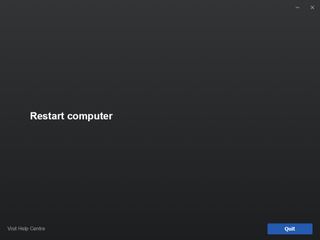
The problem was that the apparent success did not leave a usable install behind. The later logs showed why: the installer got past disk eligibility, downloads, and redistributables, then failed while creating a Windows service identity. CrossOver could run the bootstrapper, but Meta Horizon Link is not just a desktop app.
Environment
This was tested against the installer inside a CrossOver bottle:
/Users/nicholasclooney/Library/Application Support/CrossOver/Bottles/Steam/drive_c/Setup.exe
The command I used to run it was:
~/Applications/CrossOver\ Preview.app/Contents/SharedSupport/CrossOver/bin/wine \
  --bottle "Steam" \
  "C:\\Setup.exe" /drive=C
I preserved the original installer as:
/Users/nicholasclooney/Library/Application Support/CrossOver/Bottles/Steam/drive_c/Setup.exe.orig
The Symptom
OculusSetup.log showed the installer failing before installation began:
DeviceIoControl() failed with 0 bytes returned.
Exception when enumerating drives:
System.Exception: Exception of type 'System.Exception' was thrown.
  at Daybreak.Win32.Kernel.IsInternal(System.IO.DriveInfo driveInfo)
  at Dawn.InstallLocations.Scan(System.Int64 requiredSpace)

Found candidate install locations:  []
Couldn't find a valid install location for drive C:\!
Unable to find an install location with enough free space.
RunCheck 'Dawn.Preflight.InstallLocationCheck' failed.
Aborting installation due to failed preflight check.
The macOS volume had hundreds of GiB free, so this was not a real free-space problem. The failure was the installer's drive eligibility logic rejecting Wine/CrossOver mapped drives.
Root Cause
Setup.exe is a native PE wrapper with embedded .NET assemblies. The relevant embedded assembly is _Setup, found at file offset 78152 (0x13148) inside the wrapper.
The preflight failure path is:
Dawn.Preflight.InstallLocationCheck
  -> checks _session.InstallPath != null
Dawn.InstallLocations.GetInstallPath(...)
  -> calls Dawn.InstallLocations.Scan(requiredSpace)
The scanner originally filtered drives like this:
if (Kernel.IsInternal(driveInfo)
    && driveInfo.DriveFormat == "NTFS"
    && driveInfo.AvailableFreeSpace > requiredSpace)
{
    list.Add(driveInfo);
}
Under CrossOver/Wine, Kernel.IsInternal(...) calls low-level Windows disk APIs such as DeviceIoControl. Those calls do not map cleanly onto macOS folder-backed Wine drives, so every candidate drive is rejected before the free-space check matters.
The Patch
The patch removes these two predicates:
Kernel.IsInternal(driveInfo)
driveInfo.DriveFormat == "NTFS"
and leaves only:
if (driveInfo.AvailableFreeSpace > requiredSpace)
{
    list.Add(driveInfo);
}
At the byte level, the original IL sequence at wrapper file offset 0x13f54 is:
09 28 70 00 00 0a 2c 22 09 6f 71 00 00 0a 72 2b 09 00 70 28 56 00 00 0a 2c 10
Those 26 bytes are replaced with NOPs:
00 00 00 00 00 00 00 00 00 00 00 00 00 00 00 00 00 00 00 00 00 00 00 00 00 00
This is a same-size patch, so the native wrapper layout does not need to be rebuilt.
Reusable Patcher
Here is the patch script I used:
#!/usr/bin/env python3
"""
Patch the Meta Horizon Link / Oculus PC installer drive eligibility check.

This changes the embedded _Setup .NET assembly inside Setup.exe so
Dawn.InstallLocations.Scan only requires enough free space, instead of also
requiring Kernel.IsInternal(driveInfo) and DriveFormat == "NTFS".
"""

from __future__ import annotations

import argparse
import shutil
import sys
from pathlib import Path


WRAPPER_OFFSET = 0x13148
PATCH_OFFSET_IN_EMBEDDED_SETUP = 0x0E0C
PATCH_OFFSET = WRAPPER_OFFSET + PATCH_OFFSET_IN_EMBEDDED_SETUP

ORIGINAL_BYTES = bytes.fromhex(
    "09 28 70 00 00 0a "
    "2c 22 "
    "09 6f 71 00 00 0a "
    "72 2b 09 00 70 "
    "28 56 00 00 0a "
    "2c 10"
)
PATCHED_BYTES = b"\x00" * len(ORIGINAL_BYTES)


def describe_offset(offset: int) -> str:
    return f"{offset} (0x{offset:x})"


def patch_bytes(data: bytearray) -> tuple[bytearray, int, str]:
    fixed_offset = bytes(data[PATCH_OFFSET : PATCH_OFFSET + len(ORIGINAL_BYTES)])

    if fixed_offset == PATCHED_BYTES:
        return data, PATCH_OFFSET, "already patched"

    if fixed_offset == ORIGINAL_BYTES:
        data[PATCH_OFFSET : PATCH_OFFSET + len(ORIGINAL_BYTES)] = PATCHED_BYTES
        return data, PATCH_OFFSET, "patched fixed offset"

    matches = []
    start = 0
    while True:
        found = data.find(ORIGINAL_BYTES, start)
        if found == -1:
            break
        matches.append(found)
        start = found + 1

    if len(matches) == 1:
        found = matches[0]
        data[found : found + len(ORIGINAL_BYTES)] = PATCHED_BYTES
        return data, found, "patched scanned offset"

    if not matches:
        raise ValueError(
            "Could not find expected installer bytes. This Setup.exe may be a "
            "different build, already modified differently, or not the Meta "
            "Horizon Link installer this patch targets."
        )

    offsets = ", ".join(describe_offset(m) for m in matches)
    raise ValueError(
        "Found the target bytes more than once; refusing to guess. "
        f"Matches: {offsets}"
    )


def parse_args() -> argparse.Namespace:
    parser = argparse.ArgumentParser(
        description="Bypass Meta Horizon Link installer drive eligibility checks."
    )
    parser.add_argument("input", type=Path, help="Original Setup.exe path")
    parser.add_argument(
        "output",
        type=Path,
        nargs="?",
        help="Patched output path. Omit when using --in-place.",
    )
    parser.add_argument(
        "--in-place",
        action="store_true",
        help="Patch the input file directly.",
    )
    parser.add_argument(
        "--backup",
        action="store_true",
        help="When used with --in-place, create INPUT.orig first if missing.",
    )
    return parser.parse_args()


def main() -> int:
    args = parse_args()

    if args.in_place and args.output:
        print("error: do not pass an output path with --in-place", file=sys.stderr)
        return 2

    if not args.in_place and not args.output:
        print("error: output path is required unless --in-place is used", file=sys.stderr)
        return 2

    input_path = args.input
    output_path = input_path if args.in_place else args.output

    if not input_path.is_file():
        print(f"error: input file does not exist: {input_path}", file=sys.stderr)
        return 1

    if args.in_place and args.backup:
        backup_path = input_path.with_name(input_path.name + ".orig")
        if not backup_path.exists():
            shutil.copy2(input_path, backup_path)
            print(f"created backup: {backup_path}")
        else:
            print(f"backup already exists: {backup_path}")

    data = bytearray(input_path.read_bytes())

    try:
        patched, offset, status = patch_bytes(data)
    except ValueError as exc:
        print(f"error: {exc}", file=sys.stderr)
        return 1

    if status == "already patched":
        print(f"already patched at {describe_offset(offset)}")
        if not args.in_place and output_path != input_path:
            output_path.write_bytes(patched)
            print(f"wrote copy: {output_path}")
        return 0

    output_path.parent.mkdir(parents=True, exist_ok=True)
    output_path.write_bytes(patched)
    print(f"{status} at {describe_offset(offset)}")
    print(f"wrote: {output_path}")
    return 0


if __name__ == "__main__":
    raise SystemExit(main())
Use it like this:
python3 patch_meta_horizon_link_drive_check.py \
  "/path/to/original/Setup.exe" \
  "/path/to/patched/Setup.exe"
Or patch in place with a backup:
python3 patch_meta_horizon_link_drive_check.py \
  "/path/to/Setup.exe" \
  --in-place \
  --backup
The script checks for the exact original byte sequence before writing. If the installer changes, it fails closed instead of patching the wrong location.
Verification
After patching, decompiling the embedded _Setup assembly shows:
public static List<DriveInfo> Scan(long requiredSpace)
{
    List<DriveInfo> list = new List<DriveInfo>();
    DriveInfo[] drives = DriveInfo.GetDrives();
    foreach (DriveInfo driveInfo in drives)
    {
        try
        {
            if (driveInfo.AvailableFreeSpace > requiredSpace)
            {
                list.Add(driveInfo);
            }
        }
        catch (Exception arg)
        {
            Lumberjack.Log((Severity)2, $"Exception when enumerating drives:{Environment.NewLine}{arg}");
        }
    }
    Lumberjack.Log((Severity)0, "Found candidate install locations:  [" + string.Join(", ", list.Select((DriveInfo p) => p.Name)) + "]");
    return list;
}
What Failed Next
After the drive check was patched, the installer progressed further. It downloaded package chunks and successfully installed redistributables:
Installing 'Visual C++ 2013' redistributable.
Process C:\OculusSetup-DownloadCache\visual-cpp-2013.exe exited with code 0 (success).
Installing 'Visual C++ 2013 x86' redistributable.
Process C:\OculusSetup-DownloadCache\visual-cpp-2013-x86.exe exited with code 0 (success).
Installing 'Visual C++ 2015 Update 3' redistributable.
Process C:\OculusSetup-DownloadCache\visual-cpp-2015-update-3.exe exited with code 1638 (success).
Installing 'Visual C++ 2017' redistributable.
Process C:\OculusSetup-DownloadCache\visual-cpp-2017.exe exited with code 1638 (success).
Installing 'Vulkan Runtime 1.0.65.1' redistributable.
Process C:\OculusSetup-DownloadCache\vulkan-runtime-1-0-65-1.exe exited with code 0 (success).
Install 'Dawn.Setup.InstallRedistributablesStep' succeeded.
The next hard failure occurred while creating the Oculus library service:
Uncaught exception!
System.Security.Principal.IdentityNotMappedException: Some or all identity references could not be translated.
  at System.Security.Principal.NTAccount.Translate(...)
  at Daybreak.Core.Constants+Services+Librarian.GetServiceSid()
  at Dawn.Setup.CreateLibraryServiceStep.InstallImpl()

Install 'Dawn.Setup.CreateLibraryServiceStep' failed.
Rolling back installation.
That means the installer got past disk eligibility, downloads, and redistributables, then failed when trying to create or configure a Windows service identity. The service security path expects real Windows account/SID translation. CrossOver/Wine has some service support, but not the full Windows service identity and security model Meta's installer expects.
The failed step also rolled the install back, so no usable app launcher remained. A scan of the bottle did not find expected launch targets such as:
C:\Program Files\Meta Horizon\...
C:\Program Files\Oculus\...
OculusClient.exe
OVR*.exe
The leftover state was mostly the download cache and redistributable registry state:
C:\OculusSetup-DownloadCache
HKLM\Software\Wow6432Node\Oculus VR, LLC\Oculus\Config
What Setup.exe Is Trying To Install
This is not just a desktop app installer. It is a bootstrapper for the Windows Meta Horizon Link platform. From the logs and decompiled class names, the high-level flow is:
- Start the native wrapper and embedded
_Setupassembly. - Fetch or load a signed package config.
- Queue package downloads:
oculus-librarian
oculus-runtime
oculus-drivers
oculus-compat
oculus-client
oculus-dash
oculus-diagnostics
oculus-overlays
oculus-platform-runtime
oculus-remote-desktop
- Run preflight checks:
ConfigInitialisedCheck
ConfigGestaltCheck
CpuArchitectureCheck
OsVersionCheck
HotfixCheck
InstallLocationCheck
- Download chunked packages into:
C:\OculusSetup-DownloadCache
- Install redistributables such as Visual C++ runtimes and Vulkan.
- Create install directories and registry keys.
- Create Windows services, including at least the Librarian service.
- Install runtime components, drivers, firewall rules, registered DLLs, shortcuts, and uninstall entries.
The important implication is that a successful install needs more than file extraction. It needs Windows services, service permissions, likely driver installation, runtime IPC, and device integration.
Why Meta Link Is Unlikely To Work Under Wine
The install-location blocker was patchable because it was a pure user-mode policy check. The later blockers are more structural.
USB is one issue. Wine can expose some classes of devices to Windows applications, especially simpler HID-style devices, but Quest Link is not just "a USB device opened by an app." It relies on Meta's Windows services and drivers to discover the headset, negotiate transport, and maintain runtime state.
Drivers are a larger issue. Wine does not load Windows kernel drivers. If oculus-drivers expects real Windows driver installation, that part cannot work in the same way it works on Windows.
Services are already a confirmed issue. The installer failed when it tried to translate a service identity/SID for the Librarian service:
Daybreak.Core.Constants+Services+Librarian.GetServiceSid()
Even if that method were patched, later service creation, permissions, runtime startup, named IPC, and service-to-client communication may still fail.
The VR runtime is the final problem. Meta Link is a PC VR platform layer: compositor/runtime components, device discovery, transport, encoding/streaming, Oculus runtime APIs, Dash, diagnostics, and integration with games. CrossOver can run many user-mode Windows apps and some Steam games, but this stack is closer to a platform/driver/runtime than a normal app.
Could VR Games Work On macOS Through CrossOver?
Hypothetically, yes. Practically, only if the path avoids depending on Windows VR drivers and runtime services. That is why Quest Link and the Meta PC runtime look like the wrong bridge for this experiment.
For a VR game to work under CrossOver/Wine, four layers need to function:
- The game itself. Elite Dangerous, or whatever Windows game is being tested, has to run normally through CrossOver, D3DMetal, VKD3D, or the relevant translation stack.
- The VR API the game talks to. This is usually OpenVR/SteamVR, OpenXR, or the Oculus SDK/LibOVR.
- A VR runtime and compositor. This is the hard part. On Windows, SteamVR, Oculus, or Windows Mixed Reality provide this layer. On macOS, Valve dropped native SteamVR years ago, and CrossOver does not provide a host VR compositor by itself.
- The headset transport and device layer. Quest over Link/Air Link needs Meta's Windows runtime. Other headsets need their own vendor drivers. Wine generally cannot load Windows kernel drivers.
The most plausible experimental architecture would be an OpenXR/OpenVR shim into a macOS-native runtime or headset bridge. If a Windows game made OpenXR or OpenVR calls inside Wine, and those calls could be translated into a real host runtime on macOS, that would be the cleanest version of this idea. The problem is that the ecosystem for that is thin.
SteamVR inside CrossOver is another possible experiment. Maybe SteamVR can be made to launch. The harder question is whether it can detect and drive an actual headset, because SteamVR is not just an app. It expects drivers, a compositor, device discovery, IPC, timing, overlays, and runtime services.
Quest through Meta Link is the least promising route. It requires Meta's Windows services, drivers, and runtime. This experiment already hit service identity setup before even reaching the deeper USB and runtime problems.
Quest through Virtual Desktop or Steam Link works conceptually when the VR-capable host is a real Windows PC, because the headset side handles display/tracking while the host provides the VR runtime and rendered frames. But if the host is macOS plus CrossOver, the host still needs SteamVR or another VR runtime stack. Streaming does not automatically solve the direct-on-macOS problem.
What This Means For SteamVR On macOS
The goal here is still worth separating from Meta Link specifically. The experiment is not "stream from a Windows PC"; it is trying to run SteamVR and VR games directly on macOS under CrossOver, currently with Elite Dangerous as the motivating target.
For that goal, Meta Horizon Link is probably the wrong dependency to make work first. It adds the Oculus service/driver/runtime stack on top of the already hard problem of running SteamVR under Wine. The more promising experimental path is likely:
- Get the Windows game running normally in CrossOver.
- Get SteamVR itself to launch in the same bottle.
- Determine whether SteamVR can see any OpenVR/OpenXR runtime or headset bridge available on macOS.
- Avoid Meta Link unless a specific game requires Oculus runtime APIs and no OpenVR/OpenXR path exists.
For Elite Dangerous specifically, the useful question is probably whether the Windows build can run through SteamVR/OpenVR in CrossOver, not whether Meta's Link PC stack can be installed. If the headset path depends on Quest Link, Meta's Windows runtime becomes a major blocker. If there is a way to present a headset/runtime to SteamVR without Meta's PC services, that is a cleaner avenue for further experimentation.
The concrete test sequence is probably:
- Get Elite Dangerous running flat in CrossOver.
- Install and launch SteamVR in the same bottle.
- Force the game's SteamVR/OpenVR mode if available.
- See whether SteamVR can initialize at all without a headset.
- Then explore whether any OpenXR/OpenVR bridge can present a headset to it.
The likely blocker is not the game. It is the missing VR runtime, compositor, and device stack on macOS.
Practical non-experimental routes remain native macOS streaming apps, Virtual Desktop or Steam Link to a real Windows PC, or a Windows VM/PC with proper GPU and USB support. But those routes move rendering away from "SteamVR and the game running directly on macOS," so they are a different goal than this investigation.
What The VR Stack Actually Does
The VR stack is the layer between the game and the headset. A normal game can draw frames to a window. A VR game needs more than that: headset tracking, per-eye rendering, distortion correction, frame timing, reprojection, controller input, and delivery to the headset display.
The device stack is the hardware layer. It detects the headset, reads headset position and rotation, reads controller poses and buttons, handles USB/Bluetooth/Wi-Fi transport, talks device protocols, and deals with driver-level access and permissions. Depending on the headset, it may also participate in firmware communication or inside-out tracking data flow. For Quest Link, this is where Meta's Windows services and drivers talk to the headset over USB or network.
The VR runtime is the API layer the game talks to. Examples include SteamVR/OpenVR, an OpenXR runtime, the Oculus runtime/LibOVR, or Windows Mixed Reality. The game asks the runtime questions like:
Where is the headset right now?
What resolution should I render each eye at?
What projection matrix should I use?
Where are the controllers?
Submit this left-eye texture.
Submit this right-eye texture.
The runtime also provides app lifecycle, recentering, guardian/boundary information, input bindings, overlays, haptics, and performance timing.
The compositor is the real-time display engine. The game does not usually draw directly to the headset. It renders eye textures, then submits them to the compositor. The compositor takes left and right eye frames, applies lens distortion correction, applies late-stage pose correction, performs timewarp or reprojection if the game misses frame timing, composites overlays and menus, schedules frames at the headset refresh rate, and sends the final frames to the headset.
That compositor layer is latency-critical. If the game renders a frame using headset pose data from 10 ms ago, the compositor can adjust the final image using the newest pose before display. That reduces perceived latency and motion sickness.
This is why Wine/CrossOver struggles here. Wine can translate many Windows app calls, but VR is not just normal graphics. A VR game expects a Windows VR runtime to be present. That runtime then expects services, drivers, device access, shared memory, timing, IPC, and compositor integration.
With Meta Link, the dependency chain looks roughly like this:
Game
  -> Oculus/OpenVR/OpenXR API
  -> Meta/SteamVR runtime
  -> runtime services + compositor
  -> headset transport + tracking/device drivers
  -> Quest headset
CrossOver can sometimes run the game part. The hard missing part is the runtime, compositor, and device stack.
Caveats
This only bypasses the install-location preflight check. Meta Horizon Link may still fail later when installing or starting Windows services, drivers, firewall rules, USB integration, or VR runtime components that CrossOver/Wine does not provide.
The patch also invalidates the installer's Authenticode signature. This worked for the tested installer path because the bootstrapper did not reject the modified embedded assembly at startup, but future installer builds may add integrity checks.