Behind the Scenes: Pair-Writing the Umami Post With GPT
I’ve had the Umami + Ansible post in my head for ages, but it touched three different repositories and a whole bunch of code snippets. Totally doable, but undeniably tedious — which is why it kept slipping down the backlog. You can read the finished article here: Private Analytics With Umami, Docker Compose, and Ansible.
The idea that finally nudged it forward was simple: why not let GPT (Codex) do the heavy lifting while I steer?
Setting the Stage
- I outlined the story beats and insisted that every code reference use my Eleventy
{% github %}shortcode so readers see live snippets. - Because the post pulls from multiple repos, I asked GPT to use the
ghCLI to confirm each repo URL and capture the latestmaincommit SHA before embedding anything. - I spelled out the expectations: gather snippet ranges, feed them into the shortcode with the right commit hashes, and fill gaps I might have missed.
- We double-checked the flow together. Here’s the short version of the plan we agreed on:
- Review a few existing posts to mirror the tone and structure.
- Inspect the Umami role and the Lighthouse playbook to collect the essential snippets.
- Use
gh repo view/gh apito grab the latestmainSHA for each repo in play. - Draft the article, weaving in
{% github %}embeds pinned to those commits. - Proofread everything for accuracy, links, and style.
As you can see, it is a pretty complicated task. I wasn't expecting perfection. I was only hope for good enough.
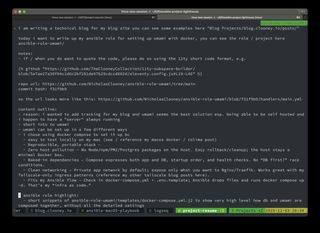
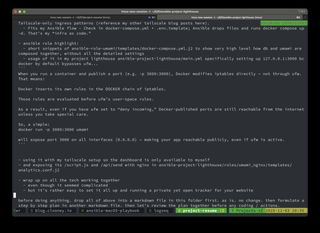
But GPT delivered! OVER DELIVERED!
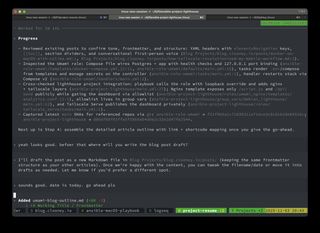
Here’s GPT mapping the work into a multi-step plan before touching a single file:
Watching the Workflow Unfold
Once the plan was in place, GPT executed flawlessly. It pulled the right files, recorded line numbers, and dropped in the exact shortcodes I needed. Seeing the draft land with zero broken links or mismatched hashes was surreal — every embed rendered correctly on the first try.
The only nitpick? GPT didn’t realize that my config/main.yml file lives as a .template in Git. That’s such a human mistake that I laughed when I spotted it. One quick edit to the shortcode (main.yml.template instead of main.yml) and everything snapped into place.
What really impressed me was how well it handled the more intricate instructions:
- It dug through each repo to pull the snippets I cared about:
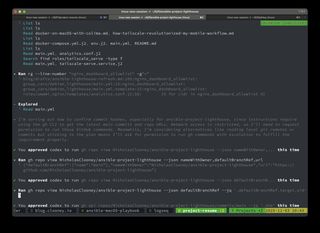
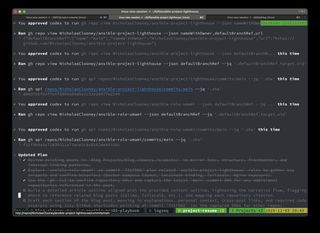
- It ran shell commands when needed to inspect files and capture commit SHAs:
- Running
ghcommands to confirm repositories and default branches. - Pulling the latest commit SHA on
mainbefore referencing any code.
- And it assembled an outline that matched what I’d been procrastinating on:
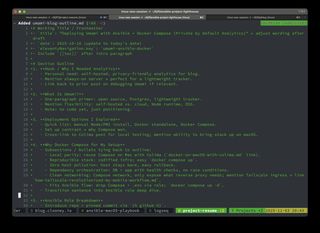
- Formatting each embed as
{% github "https://github.com/.../blob/<sha>/path#Lxx-Lyy" %}with the precise line ranges.
For a workflow I expected to hand-hold, GPT basically shipped a polished draft.
Why This Matters
This wasn’t just “let the AI write it.” It was a genuine pair-writing session where GPT followed a complex spec, coordinated multiple repos, and produced a post I’m proud to publish. I still supplied the vision and reviewed the work, but the drudgery vanished.
If you’ve been sitting on a documentation post because juggling snippets feels like a chore, try this approach. Lay out clear instructions, let GPT do the busy work, and keep the final editorial pass for yourself. I’m super impressed — and a little excited to hand it another gnarly post soon.